Majiks DSP
Free system-wide speaker DSP for macOS — per-output EQ, crossovers, time alignment and multi-device routing, agent-native.
Fixes from live use on a three-output desk. Output buses now recover automatically when USB audio devices re-enumerate (hot-plug), with truthful per-bus rendering state and grey no-output meters; measuring with a Continuity (iPhone) mic no longer crashes the app and measurement can never stop processing; the last-loaded profile, master level and running state are restored on relaunch, including after a crash; first-launch import of profiles from an older install without blocking the app; a per-bus look-ahead limiter (default -0.1 dBFS) replaces hard clipping as the ceiling; measurement API returns container paths and rejects others up front; readable menu-bar text in light and dark, per-strip EQ buttons, EQ ON / EQ BYPASSED labels, badge tooltips.
You have a Mac and more than one thing to play it through: studio monitors on a USB DAC, a powered sub on an interface, a pair of panels on a second adapter. Majiks DSP takes whatever is playing — any app — and sends it to all of them at once, each with its own EQ, crossover, gain and delay. Save the picture as a profile, and the keyboard volume keys keep working.
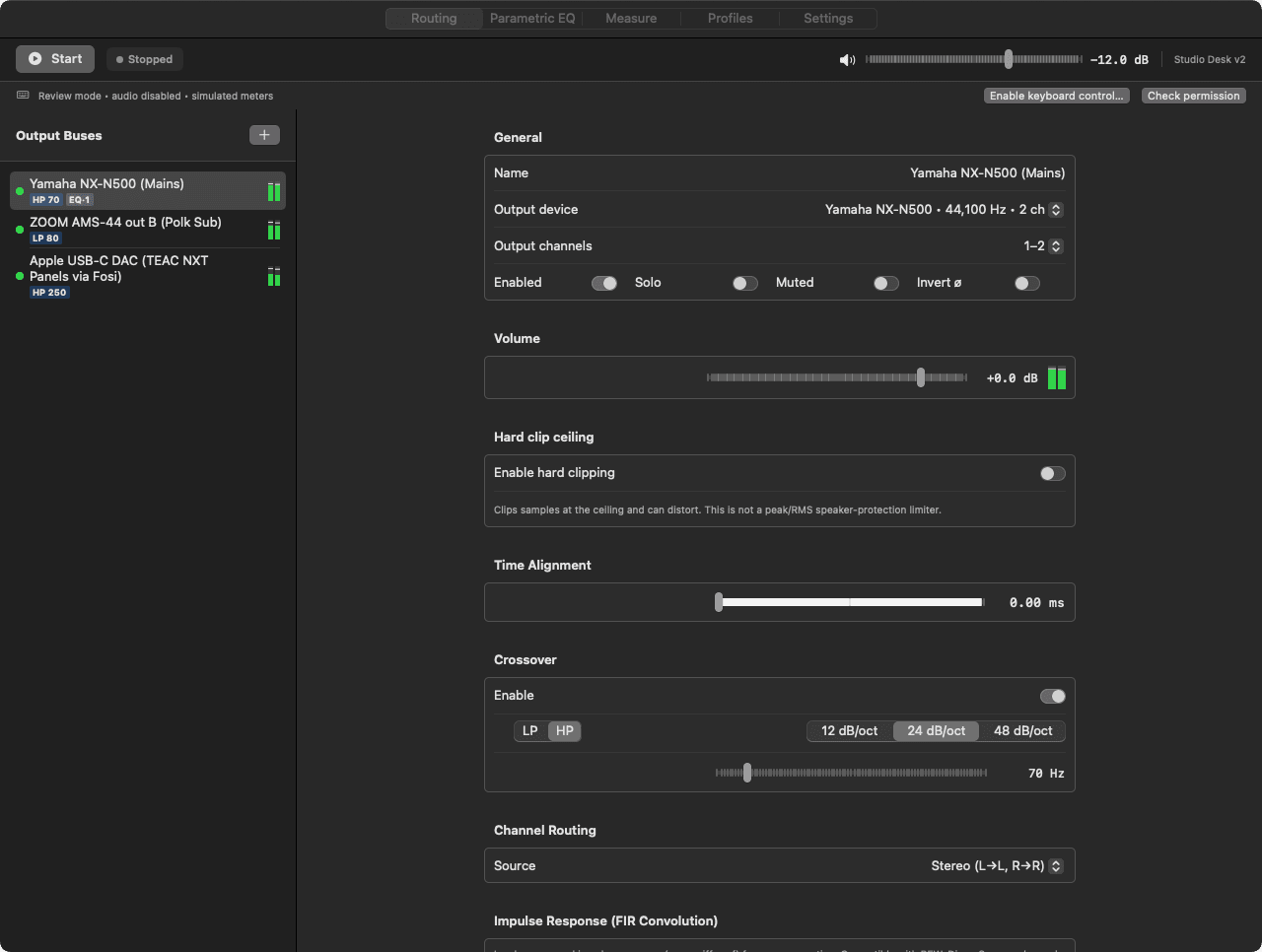
It lives in the menu bar with a mixer window: a strip per output with a fader, meter, mute and solo, a sticky master, and a panic button. An Operator view opens Routing, Parametric EQ, Measure, Profiles and Settings.
And it is agent-native: everything the app can do is an HTTP endpoint on localhost, wrapped by a CLI and an MCP server. Describe your speakers to an agent and let it build the buses, set the crossovers and save the profile — then grab the faders yourself.
Part of the Majik's Studio suite. Tune the room you mix in with Majiks DJ, make music in Music Studio, and go live with Broadcaster.
Captures Everything Your Mac Plays
A Core Audio process tap grabs system audio from any app — Spotify, YouTube, your DAW — and hands it to the DSP. No virtual audio driver to install.
One Source, Many Outputs
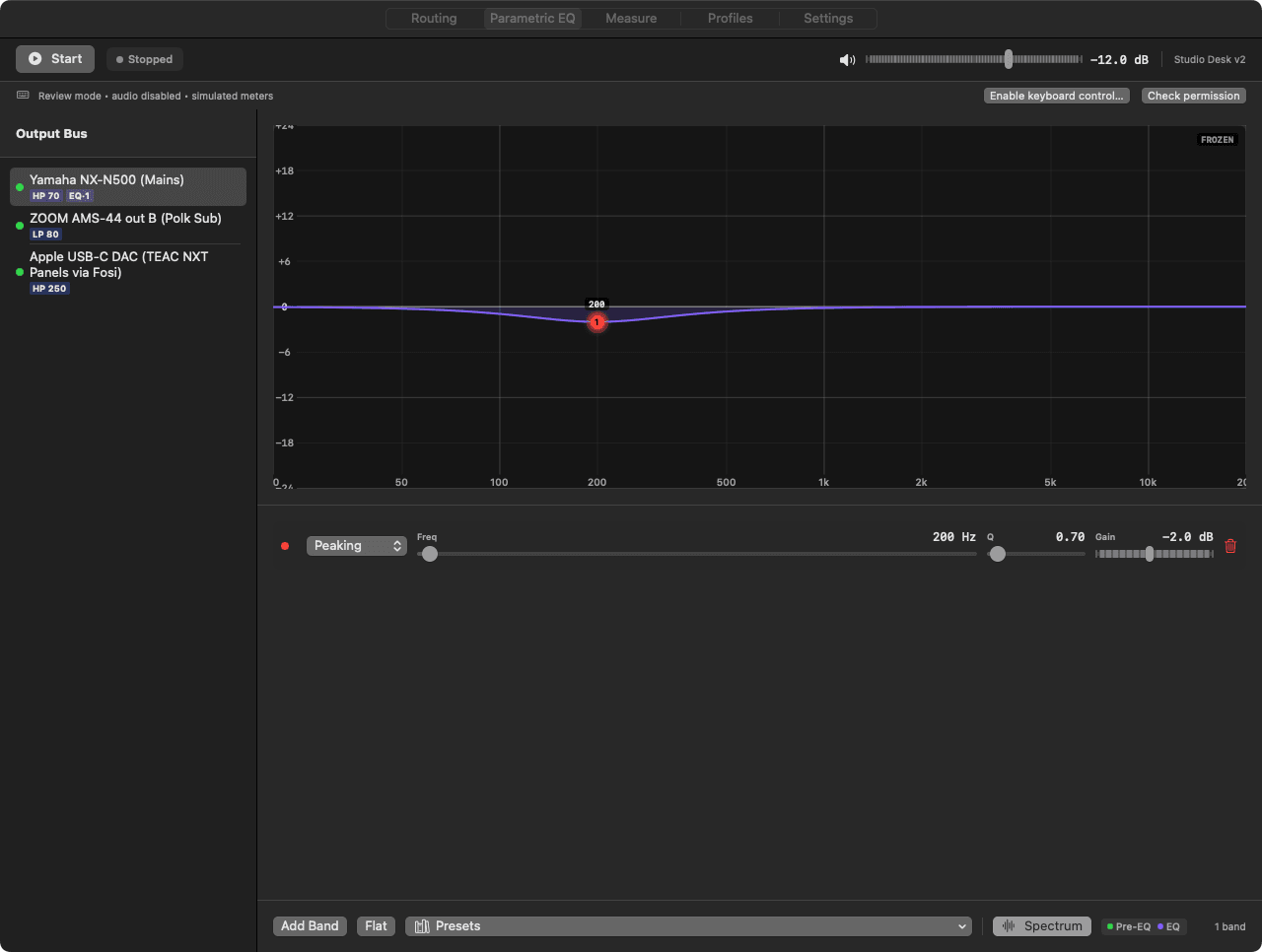
Each physical output device gets its own bus with its own DSP chain and ring buffer. Mains on a USB DAC, a sub on an interface, panels on a dongle — all fed at once.
Parametric EQ + FIR
Per-bus parametric EQ with a live response curve, presets, scroll-wheel Q, and a pre-EQ spectrum overlay. Import impulse responses for FIR convolution.
Crossovers
High-pass or low-pass per bus at 12, 24 or 48 dB/oct with exact frequency entry. Mono-sum a sub bus, or send stereo, from the same capture.
Time Alignment + Polarity
Per-bus delay in milliseconds, shown as distance in metric or imperial, plus polarity invert — so a sub and mains meet at the listening position.
Mixer With Real Meters
A mixer window with a fader, peak meter, mute and solo per bus, a sticky master, panic mute, and hold, clip and decay ballistics you can tune.
Profiles Per Room
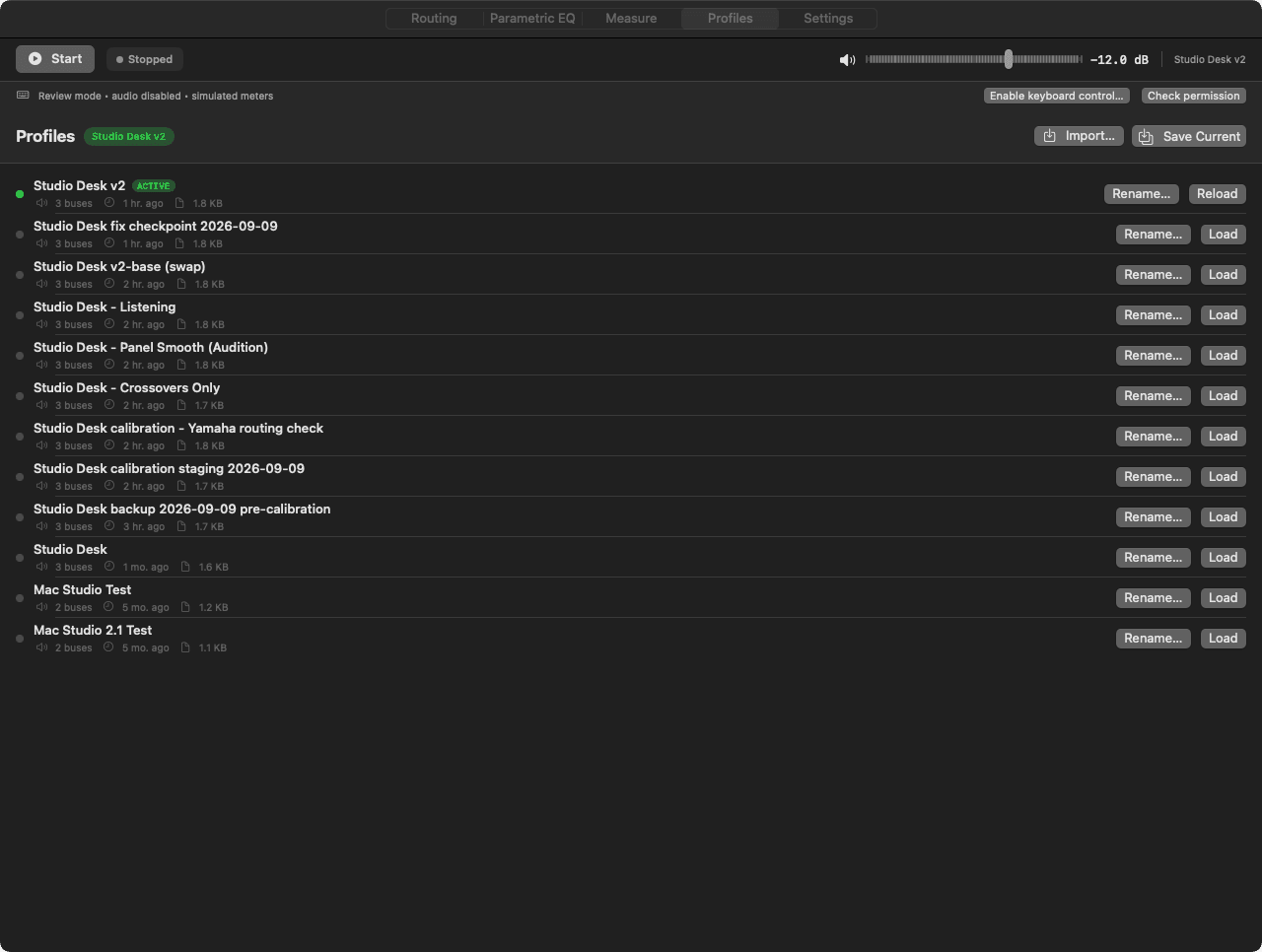
Save the whole routing, EQ and gain picture as a named profile — one per desk, room or setup — and switch between them. EQ A/B compare built in.
Keyboard Volume Keys
While processing runs, the Mac's volume keys drive the DSP master instead of a single device. Needs the Accessibility permission the app asks for.
Measurement Tools (Early)
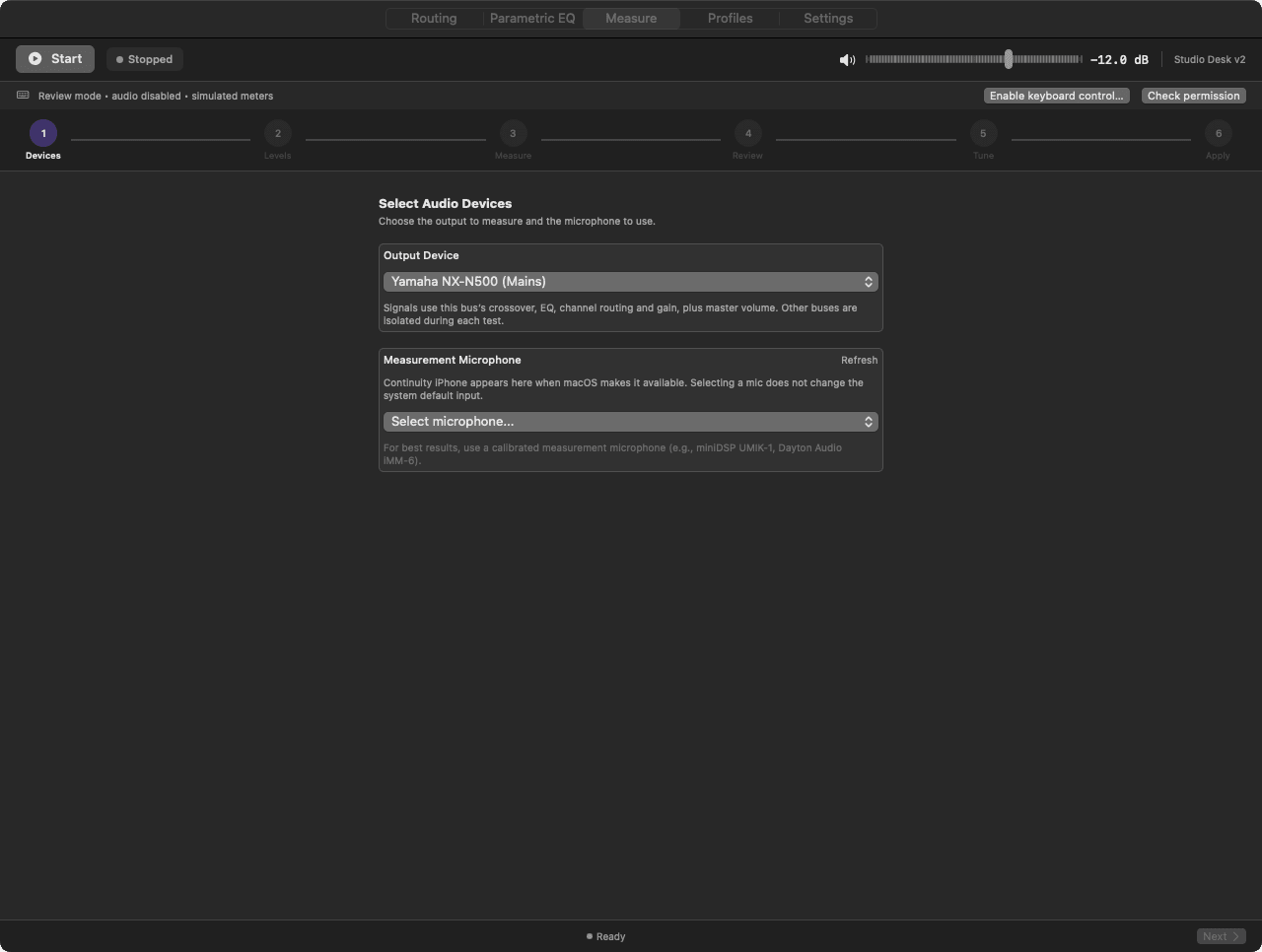
A Measure tab runs finite sweeps and test signals through a chosen bus and records them from a chosen microphone. It is an early tool, not automatic room correction yet.
Rust DSP Engine
The DSP core is a Rust library behind a C ABI — one instance per bus, real-time safe, zero allocations in any IO callback, lock-free ring buffers between capture and output.
Agent-Native (API, CLI, MCP)
Every control is also an HTTP endpoint on localhost — 27 of them — with a CLI wrapper and a 33-tool MCP server. An agent can build and tune a whole speaker setup.
Hard-Clip Ceiling
An optional per-bus ceiling clips samples at a set level. It is plain hard clipping and can distort — it is not a peak/RMS speaker-protection limiter.
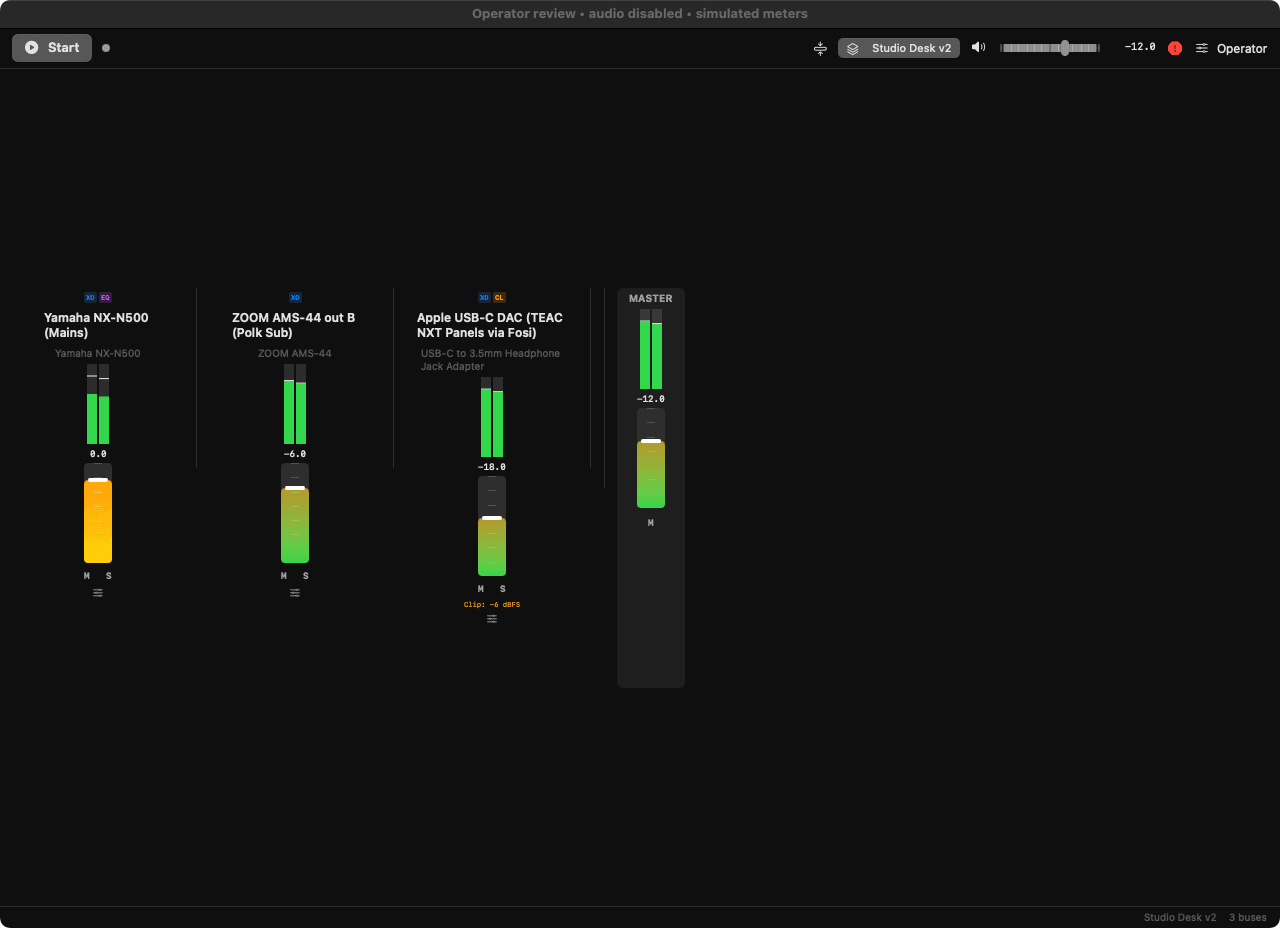
Mixer: one strip per physical output, crossover / EQ / clip badges, a master with panic. Captured from the 0.0.5 build in review mode, so the meters are simulated.
Download v0.0.7 — Free
Universal DMG, signed with a Developer ID and notarized by Apple. Drag the app to Applications. On first start macOS asks for System Audio Recording; keyboard volume keys additionally need Accessibility. Released 2026-09-10.
What this early release is not yet
- The output ceiling is hard clipping. It is not a calibrated speaker-protection limiter; set gains conservatively.
- Measurement runs sweeps and records them, but it does not yet generate a correction for you. Room correction stays manual EQ.
- No MIDI or macropad mappings yet; control is the mixer, the API, the CLI and MCP.
- Keyboard volume keys need the Accessibility permission and only act while processing is running.
System Requirements
| Component | Requirement |
|---|---|
| macOS | 14.2 (Sonoma) or later — needed for the Core Audio process tap |
| Processor | Apple Silicon or Intel (universal binary) |
| Permissions | System Audio Recording (asked on first start); Accessibility for keyboard volume keys (optional) |
| Audio | Any Core Audio output devices — USB DACs, interfaces, built-in, aggregate |